Calculator Vault App Icon

Hide Private Photos and Videos Behind a Calculator Vault

Calculator# looks like a calculator and provides a separate vault for selected photos, videos, documents, passwords, notes, contacts and to-dos. Keep independent backups of important originals.

iPhone App View
29K Ratings
4.4
Age Rating
16+
Category
Utilities
Developed By
NewSoftwares LLC
Languages
EN + 5
Price
FREE

Vault Folders and Organization

Organize and protect your private data with multi-layered locking mechanisms. Developed by NewSoftwares LLC.

Nested Album Locking

Create subfolders inside the vault, import selected iPhone contacts, or create contacts within the app. Available capacity depends on the device, plan, and storage services you use.

Instant Disguise

Prevent shoulder surfers and snoopers from seeing your sensitive data. Enable the Panic Switch to quickly switch to another app by flipping your device.

iPhone App Interface
AES-256 Protocol

Confidential Audios & Docs

Lock private audio recordings and hide music files. Secure documents with WiFi transfer from PC, Mac, or other devices. Developed with a security-first mindset by NewSoftwares LLC.

Review
Privacy Label
Test
Backup Restore
NewSoftwares_Crypto_Core: Active
INIT_VAULT_DECRYPTION_SEQ...
f7b6b1a2c3d4e5f607a8b9c0d1e2f3a4b5c6d7e8f9a0b1c2d3e4f5a6b7c8d9e0
SECURE_RESOURCE_LOCKED

Proactive Privacy Protection

Disguise Mode can display a fake error message, and Hack Monitor can log invalid password attempts. These features supplement the iPhone or iPad passcode; they do not prevent every form of device compromise.

Hack Monitor

Tells you who has been trying invalid passwords. Logs all such attempts and shows them to you inside the app.

Panic Switch

Prevent shoulder surfers from seeing your sensitive data. Quickly switch apps by flicking or flipping your phone.

Disguise Mode

Confuse intruders by enabling a fake error message box that displays a fake crash notification.

Media Dashboard

Secret Gallery & Organization.

No need to keep your family or secret photos in the iPhone gallery. Our native secret gallery lets you organize, view and play hidden media inside a discreet interface.

Secret Gallery Auto-Delete

High-Resolution Video Privacy.

Take pictures and videos from the camera or import existing media. Verify export quality with a test file and keep an independent backup before removing the original from Photos.

  • native Secure Camera
  • No Quality Degradation
Video Player
Secured Notes

Encrypted Notes & Tasks.

Whether you want to create a secret to-do list or write down your private feelings, you can do so securely. Every word is encrypted and invisible to system search.

Secret To-Dos
Secure Reminders
Security Blueprint

Review Privacy Before Setup.

Apple's current privacy label says contact information may be used to track users, while contact information and user content may be collected without being linked to identity. Apple notes that the developer supplies these declarations and privacy practices can vary by feature.

Total Isolation

Your data remains in a protected sandbox, inaccessible to other apps and hidden from system-wide search trackers.

Passwords & Secret Contacts.

Lockdown sensitive credentials like bank accounts, credit cards, and social networks. Import your iPhone contacts or create secret ones inside the app to call secretly.

native Password Manager
Contacts Shield
Sync View

Encrypted Cloud Sync.

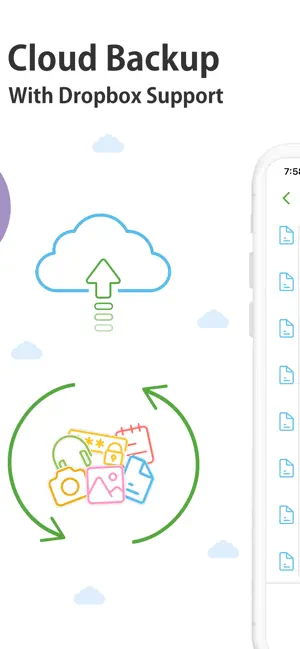
Back up selected vault data to supported services such as iCloud, Dropbox, Google Drive, or OneDrive. Confirm sync completes and test restoration before relying on it; a vault app should not hold the only copy of important media.

Full Cloud Integration Unlocked
controls Hub

Customized Security Locks.

Choose your defense strategy. Set up a PIN, Pattern, or Password. Use Touch/Face ID for instant entry. Access the most function-rich security control panel on iOS by NewSoftwares LLC.

Command & Control

Simple Pricing Plans

Calculator# is free with ads and limitations, or upgrade to get a fully-functional and ad-free experience.

Free Version

$0
Ad-Supported
  • Core Vault Locking
  • Calculator Decoy
  • Limited Ads Included
Start Free
Recommended

Annual Premium

$4.99
Per Year (Sub)
  • 100% Ad-Free Experience
  • Secure Cloud Syncing
  • Intruder Hack Monitor
  • Identity Vault & Wallet
Go Premium

What App Store Reviews Highlight

Positive reviews value the calculator disguise, media organization, and range of vault features.

Review Theme

Other reviews report transfer, ordering, or data-recovery problems, reinforcing the need for independent backups and test restores.

Review Theme

Technical Blueprint

Developer NewSoftwares LLC
Release Year Est. 2002

Accessibility Status

Apple's current listing says the developer has not yet indicated which accessibility features the app supports. Test required assistive features before moving important data.

Local-First Policy

Review the App Store privacy label and developer privacy policy before use. The current label declares some contact information may be used for tracking and some user content may be collected for app functionality.

Experience the Disguise

Frequent Questions

The current listing says registered-email password recovery is available. Set up and verify the recovery email before importing important files, and follow the in-app recovery instructions for your installed version.

Yes. The iOS edition is fully integrated with Apple's biometrics, allowing you to unlock your vault using FaceID or TouchID once the initial PIN is entered.

Test an import and export with a noncritical video, compare the result, and keep the original until you have verified quality and backup recovery on your device.

Yes! Use the native WiFi Transfer function to sync media between your desktop (PC/Mac) and your iPhone vault wirelessly over local network.

Vault content can be stored locally or synchronized through an enabled cloud service. Data handling depends on the features you use, so review the current App Store privacy label, developer policy, cloud-provider settings, and permissions.

Add a Discreet Media Vault.

Use Calculator# as an additional privacy layer while keeping your device passcode, account security, permissions, and tested backups in place.

Download Now